
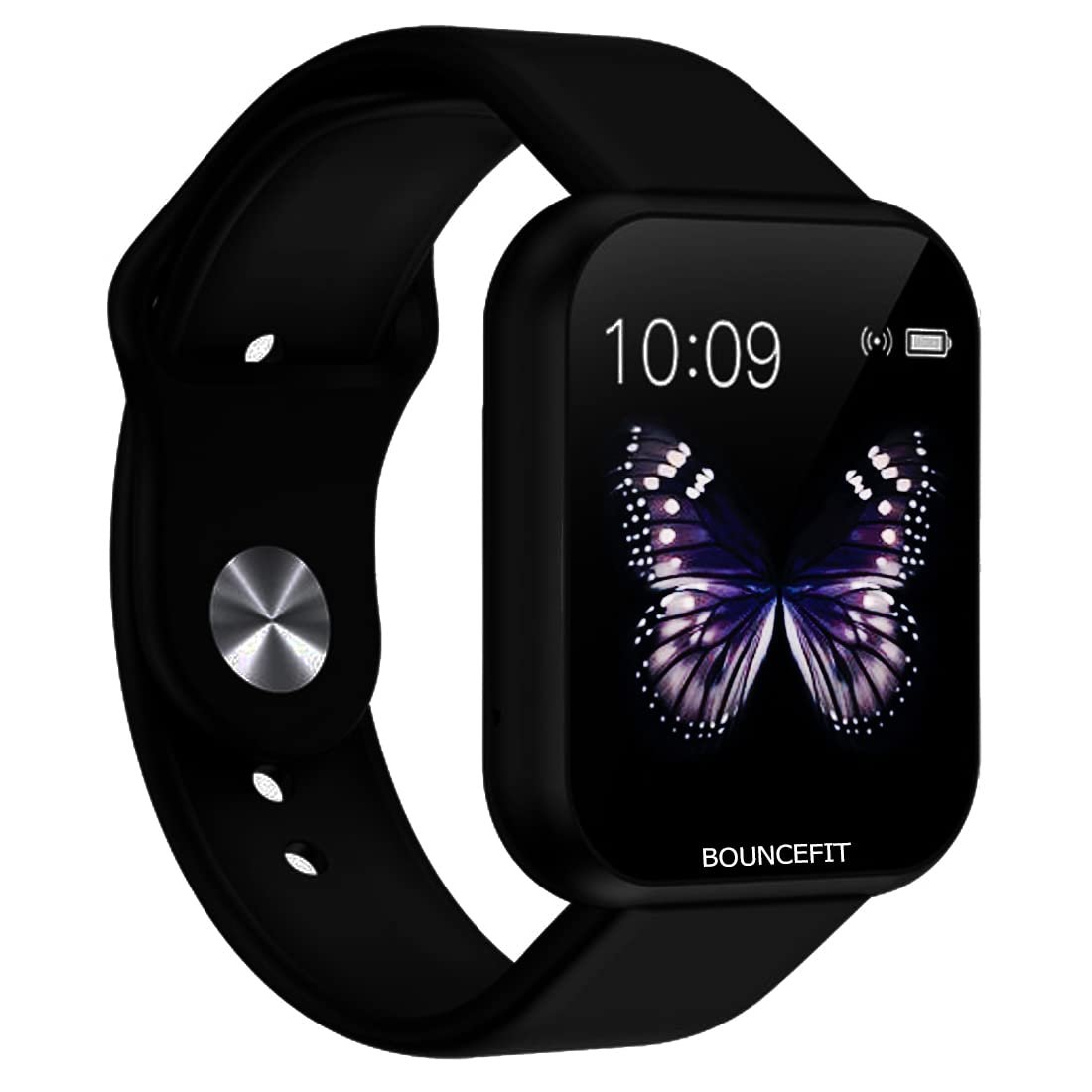
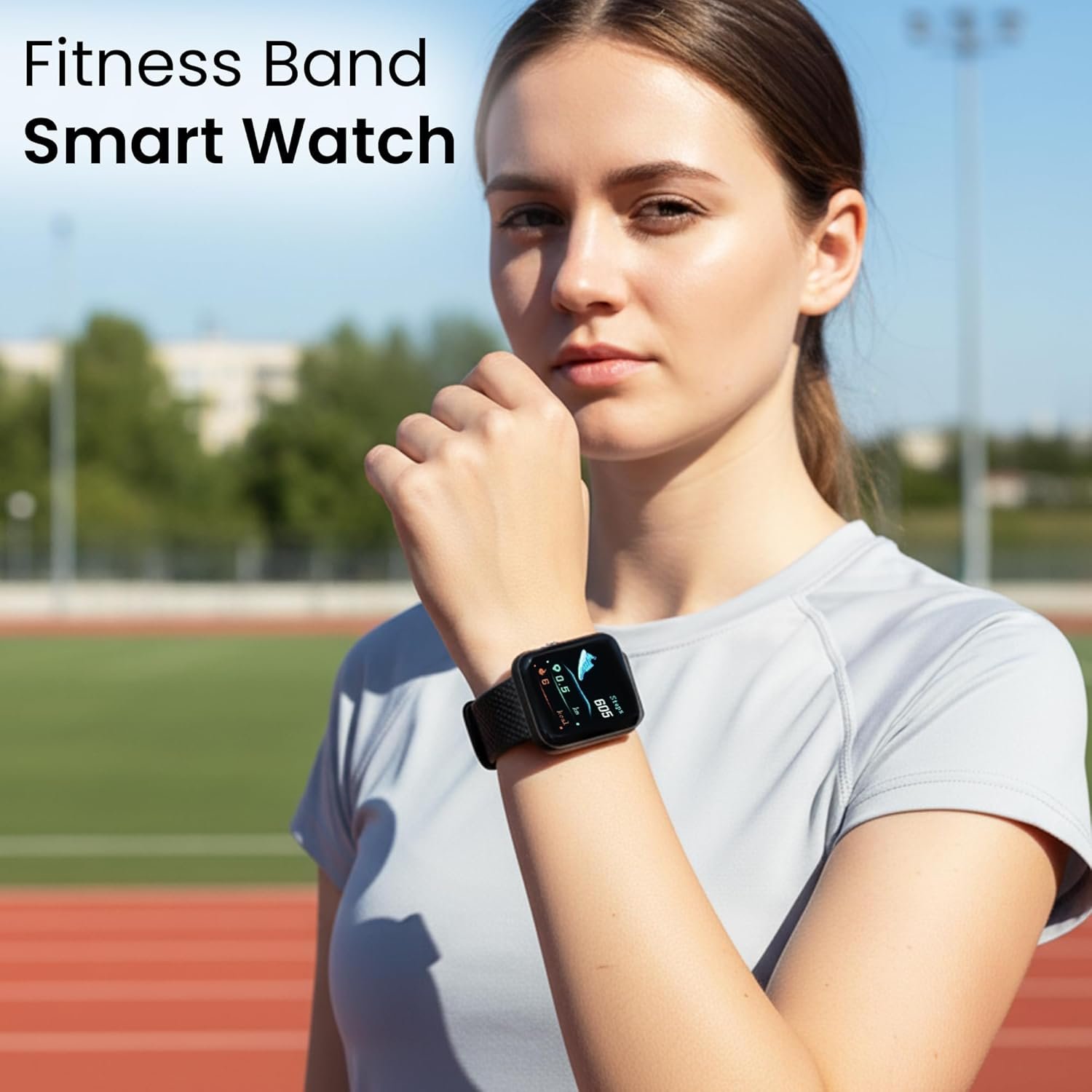
Bouncefit D20 Y68 Fitness Band Smart Watch for Men, Women, Boys, Girls, Kids – Single Touch Interface, Water Resistant, Workout Modes, Quick Charge Sports Smartwatch – Jet Black
Original price was: ₹2,999.00.₹79.00Current price is: ₹79.00.
Product Description


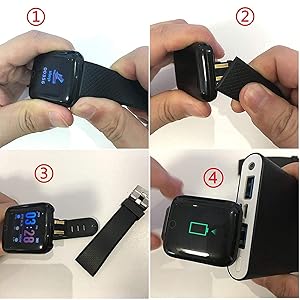
How do I charge the smartwatch?
This smartwatch does not come with a separate charger.Remove one strap to reveal the USB charging pin.Plug directly into any mobile charger, Power Bank or laptop USB port.DO NOT USE FAST CHARGER TO CHARGETip: Charge at least 2 hours before first use.
1. Which app should I download?
Download the “FitPro” app from Google Play Store or Apple App Store.Open the app and pair your smartwatch via Bluetooth.
2. My watch is not turning on. What should I do?
Charge the watch for minimum 2 hours before first use.It will power on automatically after charging.
3. How do I connect with the FitPro app?
Follow the step-by-step tutorial video inside the package.For assistance, our Customer Care is available at +91-9560335864.
4. How can I extend battery life?
Disconnect Bluetooth when you don’t need real-time notifications.Your steps, time and activity data will still be stored and sync when you reconnect.
Additional Support For charging or setup issues, Customer Care is available at +91-9560335864.
How to Connect Your ID116 Smartwatch with the FitPro App
Follow these simple steps to set up your watch:
Step 1 – Charge Your Watch First
Before using for the first time, charge your watch for at least 2 hours.Remove one strap → plug the USB pin into any mobile charger or laptop USB port.Once charged, the screen will light up and the watch is ready to use.
Step 2 – Download the App
On your smartphone, go to: Google Play Store (for Android phones) OR Apple App Store (for iPhones).Search for “FitPro” and install the app.
Step 3 – Turn on Bluetooth on Your Phone
Open your phone’s settings.Switch Bluetooth ON.Important: Do not connect the watch from phone settings directly. Always connect it through the app.
Step 4 – Open the FitPro App
Open the app and allow permissions (like Bluetooth, Location, Notifications).Permissions are important so the watch can send alerts and sync health data.
Step 5 – Pair the Watch with the App
In the FitPro app, go to “Set” → “Bind Device to experience more features” (Highlighted in Green Colour).Wait for the app to search → You’ll see a device name like 716 / Watch.Tap it → The app will connect to your smartwatch.
Step 6 – Confirm Connection
Once connected, the watch will automatically update the time and date.Your steps, sleep, and heart rate will start showing in the app.You’ll also begin to receive call, SMS, and app notifications on the watch.
Troubleshooting (if not connecting)
Restart Bluetooth on your phone and try again.If still not working, restart the smartwatch.Inside the app, tap Unbind Device, then Add Device again.Keep the watch close to the phone (within 30 cm) while pairing.
NOTE- NO CALLING FEATURE-You will receive only notification to See Calls & Messages on Your Wrist: Receive/Rejection call, calendar, SMS and SNS (Facebook, WhatsApp, LinkedIn, Instagram, and Twitter) notifications on display, fitness tracker band let you never miss the messages that matter.
Water proof Smart fitness Watch with Bluetooth And Heart Rate sensor, Activity Recorder, Sleep Monitor, Calorie Counter, Call Notifications, Alarm, Message, Usb Charging Supports smart phones, Tablets and PC’s and also support Android and IOS
All-day activity tracking: Track steps, distance, calories burned, active minutes, you can check daily activity and time on OLED display or APP
Quick Charge : 20 Minutes of Charge will give 1 Day full Battery Backup. Single Touch Interface : The Screen of the Smartwatch offers a unique single touch interface which means full screen touch is not available
NOTE -Charger is not available with this watch it has in built usb port remove the strap of watch carefully than u can see usb port which u can attach easily with any laptop,pc,mobile charges to charge. For Any Product Issue Please Contact Us on Customer Care and please Install the App – FIT PRO to use the Smart watch
Description
Price: ₹2,999 - ₹79.00
(as of Dec 19, 2025 05:07:33 UTC – Details)
Product Description
How do I charge the smartwatch?
This smartwatch does not come with a separate charger.Remove one strap to reveal the USB charging pin.Plug directly into any mobile charger, Power Bank or laptop USB port.DO NOT USE FAST CHARGER TO CHARGETip: Charge at least 2 hours before first use.
1. Which app should I download?
Download the “FitPro” app from Google Play Store or Apple App Store.Open the app and pair your smartwatch via Bluetooth.
2. My watch is not turning on. What should I do?
Charge the watch for minimum 2 hours before first use.It will power on automatically after charging.
3. How do I connect with the FitPro app?
Follow the step-by-step tutorial video inside the package.For assistance, our Customer Care is available at +91-9560335864.
4. How can I extend battery life?
Disconnect Bluetooth when you don’t need real-time notifications.Your steps, time and activity data will still be stored and sync when you reconnect.
Additional Support For charging or setup issues, Customer Care is available at +91-9560335864.
How to Connect Your ID116 Smartwatch with the FitPro App
Follow these simple steps to set up your watch:
Step 1 – Charge Your Watch First
Before using for the first time, charge your watch for at least 2 hours.Remove one strap → plug the USB pin into any mobile charger or laptop USB port.Once charged, the screen will light up and the watch is ready to use.
Step 2 – Download the App
On your smartphone, go to: Google Play Store (for Android phones) OR Apple App Store (for iPhones).Search for “FitPro” and install the app.
Step 3 – Turn on Bluetooth on Your Phone
Open your phone’s settings.Switch Bluetooth ON.Important: Do not connect the watch from phone settings directly. Always connect it through the app.
Step 4 – Open the FitPro App
Open the app and allow permissions (like Bluetooth, Location, Notifications).Permissions are important so the watch can send alerts and sync health data.
Step 5 – Pair the Watch with the App
In the FitPro app, go to “Set” → “Bind Device to experience more features” (Highlighted in Green Colour).Wait for the app to search → You’ll see a device name like 716 / Watch.Tap it → The app will connect to your smartwatch.
Step 6 – Confirm Connection
Once connected, the watch will automatically update the time and date.Your steps, sleep, and heart rate will start showing in the app.You’ll also begin to receive call, SMS, and app notifications on the watch.
Troubleshooting (if not connecting)
Restart Bluetooth on your phone and try again.If still not working, restart the smartwatch.Inside the app, tap Unbind Device, then Add Device again.Keep the watch close to the phone (within 30 cm) while pairing.
NOTE- NO CALLING FEATURE-You will receive only notification to See Calls & Messages on Your Wrist: Receive/Rejection call, calendar, SMS and SNS (Facebook, WhatsApp, LinkedIn, Instagram, and Twitter) notifications on display, fitness tracker band let you never miss the messages that matter.
Water proof Smart fitness Watch with Bluetooth And Heart Rate sensor, Activity Recorder, Sleep Monitor, Calorie Counter, Call Notifications, Alarm, Message, Usb Charging Supports smart phones, Tablets and PC’s and also support Android and IOS
All-day activity tracking: Track steps, distance, calories burned, active minutes, you can check daily activity and time on OLED display or APP
Quick Charge : 20 Minutes of Charge will give 1 Day full Battery Backup. Single Touch Interface : The Screen of the Smartwatch offers a unique single touch interface which means full screen touch is not available
NOTE -Charger is not available with this watch it has in built usb port remove the strap of watch carefully than u can see usb port which u can attach easily with any laptop,pc,mobile charges to charge. For Any Product Issue Please Contact Us on Customer Care and please Install the App – FIT PRO to use the Smart watch
Customers say
Customers find the smartwatch easy to use and good for kids, with positive feedback about its appearance. However, the functionality receives mixed reviews – while some find it nice, others report it never works properly. Moreover, the battery life is poor, lasting only 20-30 minutes per charge, and the touch screen is problematic, with customers reporting that it stops working within a day. Additionally, the product quality and value for money receive mixed feedback, with some finding it worth the price while others consider it a waste of money.
8 reviews for Bouncefit D20 Y68 Fitness Band Smart Watch for Men, Women, Boys, Girls, Kids – Single Touch Interface, Water Resistant, Workout Modes, Quick Charge Sports Smartwatch – Jet Black
Related products
-
Sale!

HP 255 G10 Laptop for Home or Work, 16GB RAM DDR5, 512GB SSD, 15.6″ Full HD, Ryzen 3 7335U (Beats Intel i5-1135G7), HDMI, USB-C, Windows 11
Original price was: ₹55,000.00.₹1,249.00Current price is: ₹1,249.00. -
-
Sale!

8K Digital Cameras for Photography Autofocus, WiFi 88MP Vlogging Camera with Dual-Lens, Flash, 16X Digital Zoom, Touch Screen, Travel Camera Anti-Shake with Lens Hood, 64GB Card,2 Batteries
Original price was: ₹29,615.00.₹23,692.00Current price is: ₹23,692.00. -

Makkapati.sambasivarao –
Super smart watch
I buy it very good product nice model and 👍
Chaitanya G –
1/5 stars – Strongly advise against buying
Do not buy this product. The item looks completely different from the pictures shown in the listing. I ordered a white watch, but they sent a black watch with a white strap – clearly a defective or previously returned piece. When I requested a replacement, the seller cancelled the order without any explanation and never issued a refund.Nowe we are trying to use it, it is not charging at all. Utter cheating.Extremely disappointing experience – poor product quality and terrible customer service. Stay away!
Mrudula Joshi –
Nice product
The item is good
Prashant Saxena –
Waste of money
Please don’t waste your money. This is toy not a watch. Hardly worked 2-3 weeks. Just a worst product and sheer waste of money. 👎
Archit Sharma –
Best gift for kids
I bought this for my daughter…and this is a amazing product in this price range..super happy with the product.
Kavita –
Nice
Nice watch for kids
Nanditha M N –
Good 👍
It is ok ok
arnab –
worst product. waste money
worst battery, standby time is 3 hour, if connected Bluetooth it will be maximum 1hour. It would better for me to buy a analog watch from street shop. I can upgrade it’s battery with li-ion himself, but waste of time. don’t waste money.