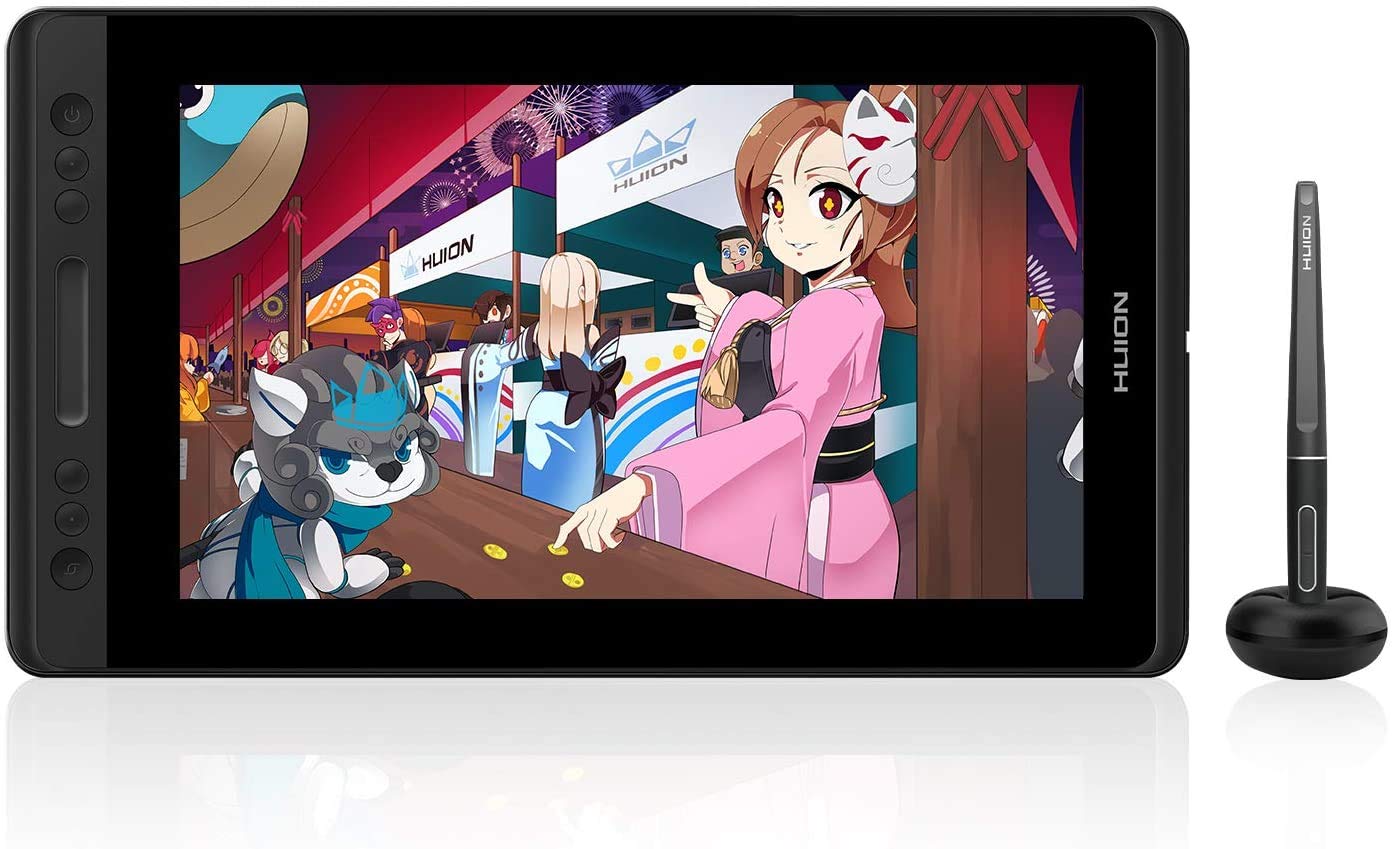
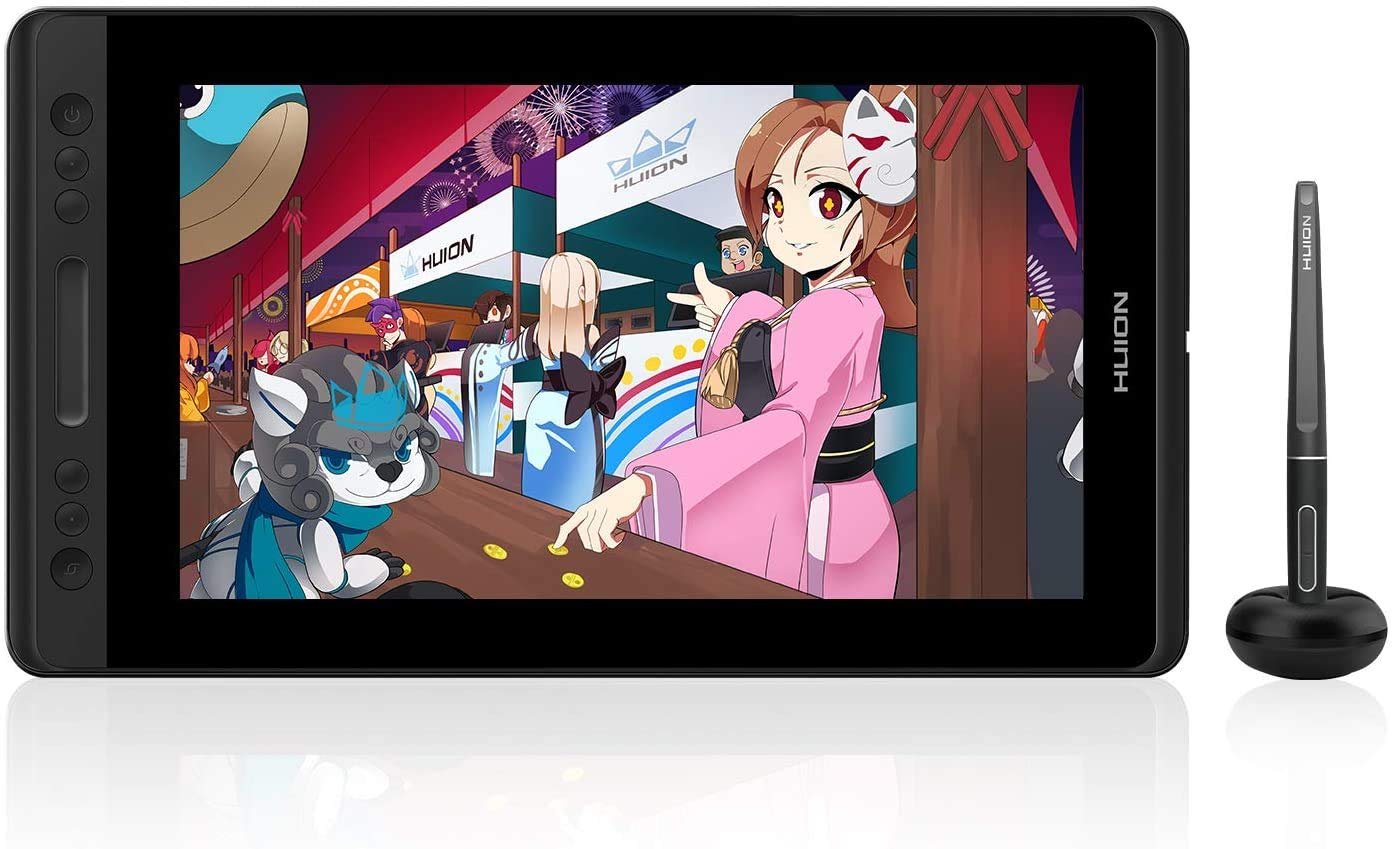
HUION KAMVAS Pro 13 Graphics Drawing Monitor with Stand, Full-Laminated Anti-Glare Screen Battery-Free Stylus 8192 Pen Pressure – 13.3 Inch Pen Tablet Display for Linux, Windows and Mac
Original price was: ₹49,999.00.₹21,157.00Current price is: ₹21,157.00.
From the brand

Founded in 2011, Huion has always been dedicated to providing high-quality pen tablets, pen displays and pen computers to creative users.
And our products not only help artists, designers, and animators to create fantastic digital masterpieces. but also bring digital ink solutions to many people around the world, changing the way they create, learn and work.
We believe the world is in your hands.
Diwali Deals
Kamvas 16(Gen 3)
Kamvas 13 (Gen 3)
2024 NEW BLUETOOTH TABLET
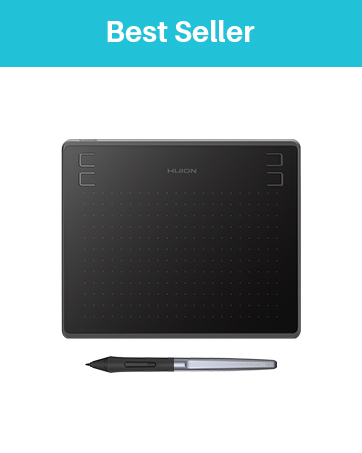
HS64 6.3 x 4in Drawing Tablet
——Best choice of drawing tablets for beginners
Huion Note Digital Notebook

New Release
Drawing Tablets
Pen Display-Kamvas Pro Series
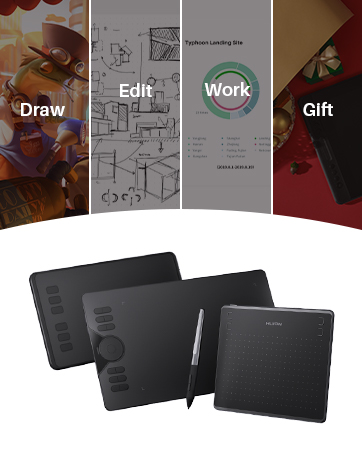
HUION Graphic Tablets
A good helper in drawing, study, and work

Outstanding Visuals: HUION Kamvas Pro 13 art tablet features a 13.3-inch full-laminated screen with Full HD resolution, letting you enjoy immersive viewing in great clarity and fine detail. Together with an IPS panel and anti-glare glass, the graphics drawing monitor is able to reduce the interference of ambient light on the creation and show every detail clearly across the wide 178° viewing angle.
Stunning Color: This drawing monitor with a 120% sRGB (92% AdobeRGB) wide color gamut (16.7millions 8bit). 1000:1 contrast ratio shows shadow details clearer and sharper. It can deliver the color accuracy you need for photography, graphic design, content creation, and other color-critical applications to complete your best work.
Superb Lightweight: With a sleek and modern design, Kamvas Pro 13 pen display is only 11mm thin and weighs less than 910g, which is easy to carry when on travel. Simplify Workflow: A set of 4 customized express keys and a touch bar helps get easy access to your favorite shortcuts of keyboards or mouse to achieve different operations, such as zooming in and out, and adjusting brush size.
Tilt Function Battery-free Stylus: The battery-free pen PW507 looks and feels like a regular pencil, offering you responsive and accurate pen performance with 8192 levels of pressure sensitivity, ±60° tilt recognition, and virtually lag-free tracking. Plus, the two side buttons on the pen can be programmable to the software’s shortcuts you want.
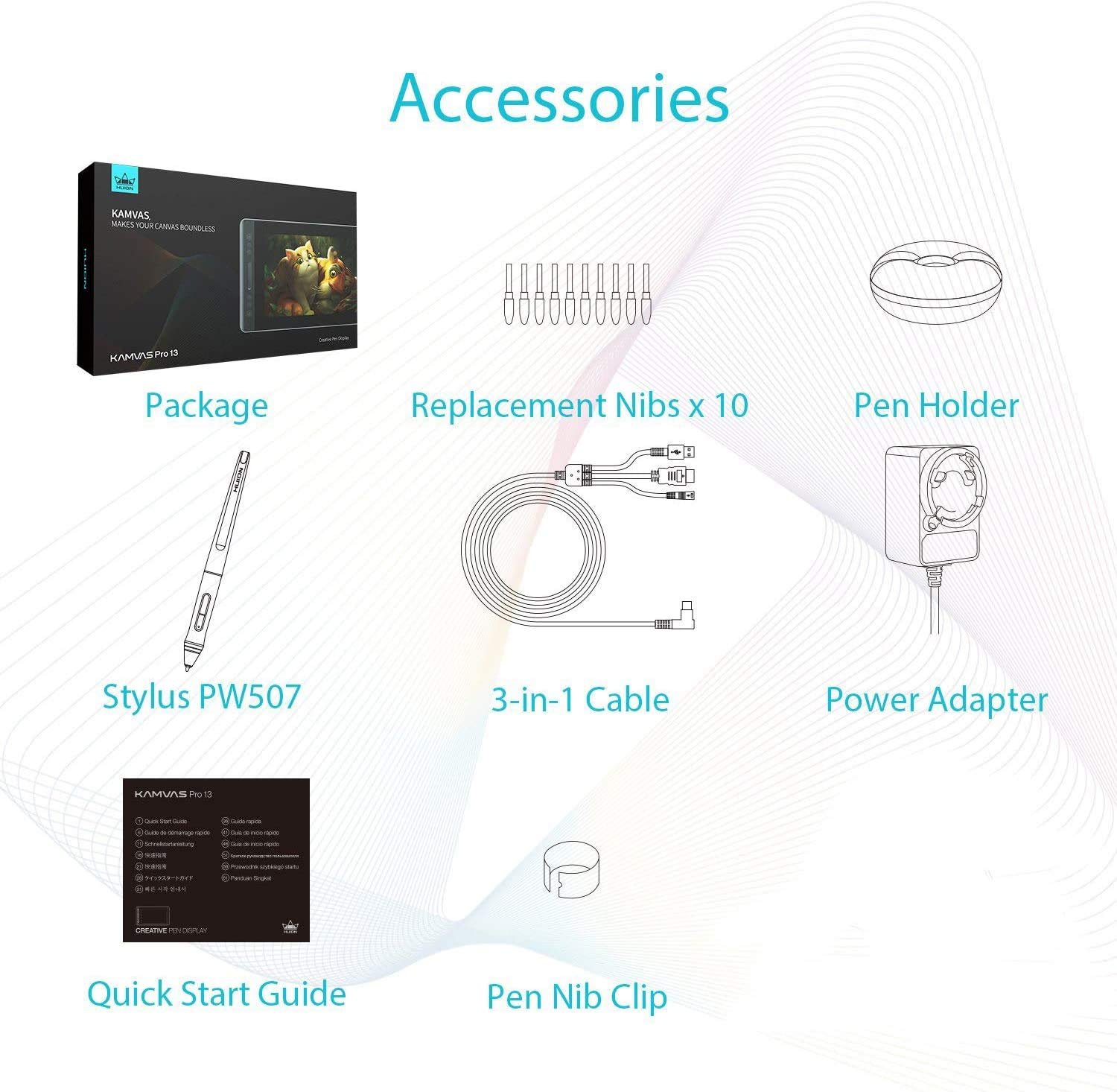
Connection & Compatibility: The graphics tablet display can be easily connected with 3 in 1 cable (HDMI signal) to your computer & laptops that run Linux(Ubuntu), Windows 7 or later, or macOS 10.12 or later. It is well compatible with most software like Adobe Photoshop, Lightroom, Clip Studio Paint, SAI, etc.
Description
Price: ₹49,999 - ₹21,157.00
(as of Jan 14, 2026 05:53:14 UTC – Details)
From the brand
Founded in 2011, Huion has always been dedicated to providing high-quality pen tablets, pen displays and pen computers to creative users.
And our products not only help artists, designers, and animators to create fantastic digital masterpieces. but also bring digital ink solutions to many people around the world, changing the way they create, learn and work.
We believe the world is in your hands.
Diwali Deals
Kamvas 16(Gen 3)
Kamvas 13 (Gen 3)
2024 NEW BLUETOOTH TABLET
HS64 6.3 x 4in Drawing Tablet
——Best choice of drawing tablets for beginners
Huion Note Digital Notebook
New Release
Drawing Tablets
Pen Display-Kamvas Pro Series
HUION Graphic Tablets
A good helper in drawing, study, and work
Outstanding Visuals: HUION Kamvas Pro 13 art tablet features a 13.3-inch full-laminated screen with Full HD resolution, letting you enjoy immersive viewing in great clarity and fine detail. Together with an IPS panel and anti-glare glass, the graphics drawing monitor is able to reduce the interference of ambient light on the creation and show every detail clearly across the wide 178° viewing angle.
Stunning Color: This drawing monitor with a 120% sRGB (92% AdobeRGB) wide color gamut (16.7millions 8bit). 1000:1 contrast ratio shows shadow details clearer and sharper. It can deliver the color accuracy you need for photography, graphic design, content creation, and other color-critical applications to complete your best work.
Superb Lightweight: With a sleek and modern design, Kamvas Pro 13 pen display is only 11mm thin and weighs less than 910g, which is easy to carry when on travel. Simplify Workflow: A set of 4 customized express keys and a touch bar helps get easy access to your favorite shortcuts of keyboards or mouse to achieve different operations, such as zooming in and out, and adjusting brush size.
Tilt Function Battery-free Stylus: The battery-free pen PW507 looks and feels like a regular pencil, offering you responsive and accurate pen performance with 8192 levels of pressure sensitivity, ±60° tilt recognition, and virtually lag-free tracking. Plus, the two side buttons on the pen can be programmable to the software’s shortcuts you want.
Connection & Compatibility: The graphics tablet display can be easily connected with 3 in 1 cable (HDMI signal) to your computer & laptops that run Linux(Ubuntu), Windows 7 or later, or macOS 10.12 or later. It is well compatible with most software like Adobe Photoshop, Lightroom, Clip Studio Paint, SAI, etc.
10 reviews for HUION KAMVAS Pro 13 Graphics Drawing Monitor with Stand, Full-Laminated Anti-Glare Screen Battery-Free Stylus 8192 Pen Pressure – 13.3 Inch Pen Tablet Display for Linux, Windows and Mac
Related products
-
Sale!

Toy Imagine Kids Digital Camera Toy – 3.0MP 1080P HD Video Camera with 2-Inch Screen & 32GB Capacity – Easy USB Rechargeable, Fun, Educational & Birthday Gift for Boys & Girls Age 3–12(Blue)
Original price was: ₹999.00.₹619.00Current price is: ₹619.00. -
Sale!

HP 255 G10 Laptop for Home or Work, 16GB RAM DDR5, 512GB SSD, 15.6″ Full HD, Ryzen 3 7335U (Beats Intel i5-1135G7), HDMI, USB-C, Windows 11
Original price was: ₹55,000.00.₹1,249.00Current price is: ₹1,249.00. -

-
Sale!

Digital Camera, 4K Ultra HD Cameras for Photography, Digital Point and Shoot Camera with 56Mp Autofocus 20X Zoom Anti Shake, Video Camera with 32GB SD Card for Kids, Teens, Beginners(Black)
Original price was: ₹6,999.00.₹349.00Current price is: ₹349.00.
Swetha –
Value for money
Nice quality product
Francis –
Extremely impressive drawing monitor
The Huion Kamvas Pro 16 completely lived up to my expectations. An amazing tablet that I wish to review based on my honest thoughts and opinions.-Having used a Wacom Cintiq before, I was a bit sceptical on buying other brands but the reviews on this were amazing. After getting it and finally using it, it didn’t disappoint me at all. I just love everything about the product! Especially the pen, the side buttons which are way better than what I have used before. This was certainly a great upgrade for me!-The pen feels amazing, It is comparatively lighter and the drawing experience is just amazing. The pen tip is so close to the screen (which btw looks very vibrant & the colours are clearly bright), even when viewed from the side. I think its because of the laminated screen. Great calibration with minimum parallax!-The Hardware and the built-quality on this are exceptional. Its really sturdy and I love the aluminium alloy type of material which makes it so cool and premium looking. The stand has a good build with a front metal plate too.-The 16inch size was perfect for me to set in front of the display monitors that I use. Also I like how the connector cable is ‘L-shaped’, It won’t get damaged that easily and doesn’t get messy on the table. It’s a single USB Type-C cable that only splits on the other end(for HDMI, power and USB-A).-The shortcut buttons and the scroll helps a lot too. they are not that big. Serves the purpose and wastes no space.-Its a sleek design and the built quality is amazing.I didn’t have to get anything extra to get things going with my work. Everything was included in the package including the glove and cleaning cloth.Overall, I have to say that it exceeded my expectations. Would definitely recommend this to new and advanced users. Also as an alternative for Wacom users.My workflow has improved tremendously and I can’t thank Huion enough for such a solid and sleek looking drawing monitor that is of great quality and has great features.
Rishi –
I’ll keep this review updated from time to time.
Due to the budget constraints I went for huion kanvas pro 16 pro instead of wacom cintiq. I am still skeptical regarding the longevity of this tablet as seen from the reviews. Putting in more than a week of light to moderate use it appears to be working fine with the pen sometimes moving far away from the point of click.I will update the review after some time for keeping the info updated.
Ram Harsha –
WRITING IS SUPERB! SCREEN IS SMOOTH
UPDATE ON 16.08.2021 – Now I feel much comfortable using this. Especially the screen built quality is awesome.Writing and drawing is smooth!Anyone can confidently buy and attach to your pc or laptop!Easy to use! I also have touch laptop which I can use with finger recognition as well. But this one Huion pen tablet, as the name suggests, it only works with pen and no palm recognition. It just replicates your screen and u just use pen on the screen.Don’t expect that your laptop turns into like touch laptop with huion pen tablet support. Touch laptop is next level. This only supports pen writing. That’s it.Writing on One Note is pathetic. But writing on MS word using draw menu, is excellent. In One Note, what I noticed is that, the words I’m writing are not accurately presented. Even if u draw a line it looks zig zag. But in word, yes it is perfect. What u write will appear.But having regard to durability, screen sharpness, yes I vote this huion. The screen is crisp.When I’m using draw board pdf, when using high lighter pen, every time I use highlight, the huion screen is blinking. Software error. Not a problem with huion. As in word document, if I use highlighter the problem is not there.My laptop is ASUS Rog model with 144 refresh rate. That supports 8k resolution too. Believe me huion tablet screen is even more sharper.
Santanu Sen –
Unleashing into Digital art with HUION Drawing Monitor Pro 16
With the era of digital arts that is overflowing around, and you want to be a part of this amazing whimsical journey of creating arts. The Huion drawing monitor Pro is a perfect choice you would like to consider. The organic sketching, painting, and sculpting is easily attainable with this innovative device.I received the product on time, this is the Kamvas series drawing monitor from Huion. it consists, one tablet itself that features 6 press keys, 1 touch bar, 1 On and off button, and 1 OSD button on the side for quick navigation of the settings. Built-wise I’m truly pleased with its design, as the backside of the monitor features Aluminum finish and anti-slip silence grip and attractive Huion nickel finish logo gives it an elegant look.I downloaded the latest driver from the Huion site to work for windows version. Also, you can get the Mac version as well for your preference. You can customize these button with your likings for specific software programs. Before you use; It’s good to calibrate the monitor with the Huion driver setting. This has the 15.6 inches of drawing area that features full laminated technology anti-glare glass panel. It has the dimension of 437.8 mm x 251.2 mm and thickness is 11.5 mm. The weight is just 1.35 kg; overall that makes it extremely portable device. Keep in mind, the IPS monitor is 120% sRGB color gamuts that have 16.7 million colors, that renders true to life color whatever you see in the monitor will appear precise to your eyes; also there is no parallax with the display and appear breathtaking.The PW507 battery-free stylus pen comes with precise tilt function and pressure sensitivity of 8192 levels. The performance is quite impressive and natural as whatever stroke I may use. Also, you will get 3-in-1 cable and the power adapter for connecting to your Pc or laptop. The 3-in-1 cable has split end that features Ac port, USB port, and HDMI port in it. Just make sure you plug it completely your USB cable and HDMI cable to your PC to work. Also, you’ll get a monitor stand with this product; that is extremely useful in concentrating my work for longer hours; as you can rotate its angle whenever needed.The nib holder is extremely useful to have with this product; as you get 10 replacement nibs and 1 metal clip for changing the nibs when it wears off. The pen holder is cute in design as hold my pen more stylishly. The quick start guide, anti-fouling artist glove, and cleaning cloth make this product a complete powerhouse for any digital artist.If you are a traditional medium artist, this drawing monitor is a big plus as you don’t have to manage the eye-hand co-ordination as any conventional graphics tablet requires that effort. You’ll draw the line that truly updates in-front of your eyes as it feels like drawing on the paper.On the performance level, this drawing monitor seamlessly works on Photoshop, clip studio paint, Medibeng, gimp, ZBrush, Maya and many other applications you use without a hitch. Ultimately, I highly recommend this Huion drawing monitor to all artist to enhance their workflow that comes at extremely logical price-point.
saranraj –
It has small black line on display
Aydan Stetson –
Before I get onto the product I want to bring into light the fact that this product was shipped without ‘Sign on Delievery’, which I thought was very dangerous and do not condone with such expensive items, I get this service even with $15 items I buy. The postman didn’t even bother to knock at the door dispite me and everyone else here being home, it’s a good thing I was actively checking the delievery status. Please provide ‘Sign on Delievery’ on products.PROS:-Great form factor and size allow you to travel anywhere with this and can be plugged up to most laptops.-Great pen stats for anyone looking for an upgrade.-Responsive 1080p screen!-Easy to follow software to adjust the tablet to your needs.-Out of the box ready for many programs (Drivers installed before hand obviously)CONS:-The stand is great, however the display can slip abit too easily at higher angles.-The screen squeaks at pen presses when it heats up.Upgrading from a a non display tablet to this was quite exciting and with the deal I was able to get on Amazon I just had to go for it. Moving from Wacom to Huion was in my eyes just the better choice considering Wacom’s pricing on their products, and when it arrived a DAY after I placed my order I was bouncing off the walls.This display tablet is very thin and would be super easy to lug around with you on trips and the included stand it comes with, while simple, is very well made and sturdy. The only gripe I had about is that the little holder that flips out so the display can rest on is a bit short and the tablet can slip on higher angles if not careful.The Pen feels great and light, and I do think even lighter than the Wacom pen I was using though to be fair that pen was from a 2013 model.I have been using Clip Studio for this tablet and it worked right out the box using the 3 in 1 cable that does require an open HDMI and USB port to plug into the computer as well as a wall plug, if you do not have a HDMI free (DO NOT RECOMMEND USING THE MOTHER BOARD HDMI) Get an adapter for whatever plug you have free. The drivers where simple to install and the program is easy to understand and follow if you needed to adjust your shortcuts on the pen and tablet or even calibrate the screen, don’t forget to get the up to date Firmware from Huion either by their support email or their site.The parallax on this tablet was barely noticeable, however when you got your pen at a tilt you can notice a different especially near the left edge of the screen (Right handed user here)Being able to draw right where the art is in front of you, when your pen is, it feels amazing and I can see as I get used to it I can improve on what I work with. last gripe I have is that it does heat up at the top and while the heat didn’t bother me at all it makes the screen squeak when you put down the pen, I don’t know if this goes away after some time but it can be distracting, just play some music to drown it out.Over all I love this and I think the upgrade was well worth it, personally I would try and get the Pro 16 but this is a REALLY good option still, if you’re looking at buying a new tablet please consider this or the other Huion Display range, not for prices but their design and choices too!
Sara.S –
I’ve had the KAMVAS Pro 13 for a few weeks now and I’m pretty happy with it. It’s my first experience with a screen tablet and I’m enjoying it so far. It was quite easy to set up, install the new drivers and get started. The screen is very vibrant, and it feels good to draw on.There are some issues that other people have mentioned however, It does heat up quite a bit at the top of the screen, though I don’t usually touch that part of the screen when drawing so I don’t notice unless I check for it. Also I keep the tablet almost flat, so I don’t personally experience this, but the tablet can slip out of the stand at higher elevations.The main issue for me was that there is some significant parallax on parts of the screen, calibration does help but I still experience it. Eventually I got used to it but it can make precise lines a pain.This isn’t an issue with the tablet but I also wish I had bought the glove too, didn’t realize I would leave so many hand prints.Overall though, great product. Will definitely consider purchasing from Huion again.
lex –
I love drawing and decided to get into digital art to save on art supplies and try my hand at something new. This drawing tablet has been an amazing addition to my set up and I use it for just about everything. 10/10 do recommend
K. Jarvis –
Bought for my son for his b’day – he (and I) love this – it’s awesome for budding artists and from what I can see, professionals alike. Very cool interface with your Laptop – we also (with a separately purchased adapter) connected to our iMac. It’s literally plug in and go after super easy installation.We did have an issue with a tricky power cord, but Huion replaced it super fast – brilliant to deal with – highly recommended!!